A real transfer queue
Parallel transfers, per-file and overall throughput, a live ETA, retry and cancel per row. Interrupted transfers resume from the byte they stopped at.
 Tide.
Tide.
TideFTP · Terminal file transfer client
SFTP, FTP and FTPS over one set of keys, in a terminal that is pleasant to live in.
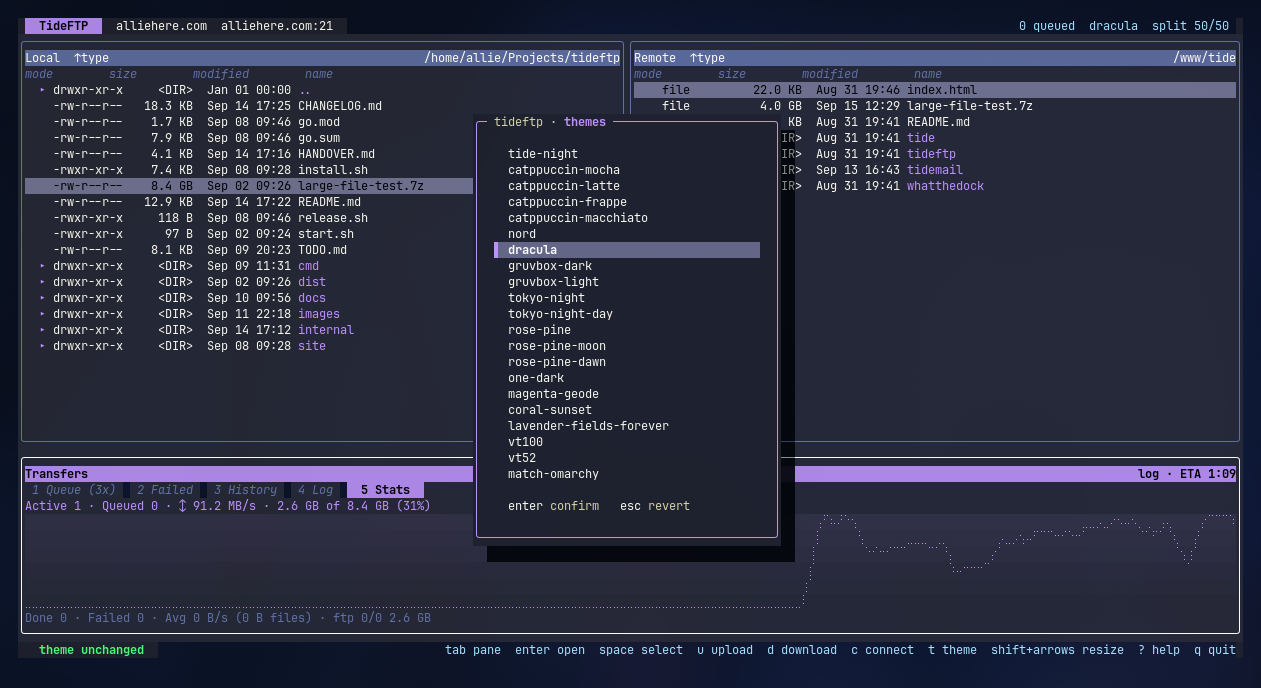
Real app. Real terminal screenshot.
A polished two-pane transfer client for the terminal is a niche almost nobody occupies.
Most "TUI FTP" is a file manager with a protocol layer bolted on, or a scriptable CLI with no interface at all. TideFTP is the part in between: the queue, the progress and the conflict prompts, on screen. The same binary also runs headless for scripts.
The whole client
Parallel transfers, per-file and overall throughput, a live ETA, retry and cancel per row. Interrupted transfers resume from the byte they stopped at.
Walks both trees, queues only what's missing or changed, and shows a new, updated and unchanged plan first. Prune is one keystroke, and opt-in.
The first 128 KB as syntax-highlighted text, or a hexdump for binaries. It never pulls the whole file.
Checks a file out to a temp copy, opens your editor, and writes it back if you changed it. Either pane.
In the terminal
Local on the left, remote on the right, transfers underneath. Here with the theme picker open.
An honest read against the tools people reach for now.
| Capability | TideFTP | lftp | mc | FileZilla |
|---|---|---|---|---|
| Two-pane visual UI | ● | ○ | ● | ● |
| Transfer queue with conflict policies | ● | ◐ | ○ | ● |
| Directory mirror with pre-flight plan | ● | ● | ○ | ● |
| Streaming preview and in-place edit | ● | ○ | ◐ | ○ |
| Runs in a terminal, over SSH | ● | ● | ● | ○ |
| Scriptable and headless | ● | ● | ◐ | ○ |
| Cloud storage backends | ○ | ○ | ○ | ○ |
● full ◐ partial ○ none. For S3 and GCS reach for rclone.
The same binary runs without the interface. Every row below is exercised by tests against real in-process SFTP and FTP servers.
| Capability | TideFTP | lftp |
|---|---|---|
| get, put, rm, mv, globs, resume (-c) | ● | ● |
| Mirror: delete, filters, dry-run, parallel | ● | ● |
| Bandwidth limit | ● | ● |
| Auto-reconnect that resumes mid-file | ● | ● |
| Segmented download (pget) | ● | ● |
| Scripts over one connection, aliases, settings | ● | ● |
| Background jobs and queue | ● | ● |
| Symlinks | ◐ | ● |
| HTTP, HTTPS, FISH, BitTorrent | ○ | ● |
| Proxy support | ○ | ● |
Before you install
Get started
FTP and FTPS read the password from TIDEFTP_FTP_PASSWORD. SFTP uses your agent and ~/.ssh keys. To build from source instead, you need Go 1.26 or newer.
One line
curl -fsSL https://raw.githubusercontent.com/allisonhere/TideFTP/main/install.sh | shThen connect
tideftp --host files.example.com --user deploy --path /var/wwwOr script it
tideftp sync --dry-run ./site prod:/var/www