If docker ps works on your machine, WhatTheDock has a decent shot at working too.
It uses Docker's normal defaults and puts the everyday operations (logs, restarts, edits, host switches) one or two keystrokes away instead of a shell history search.
The everyday operations
Not a Docker course. The handful of things you actually reach for.
See it
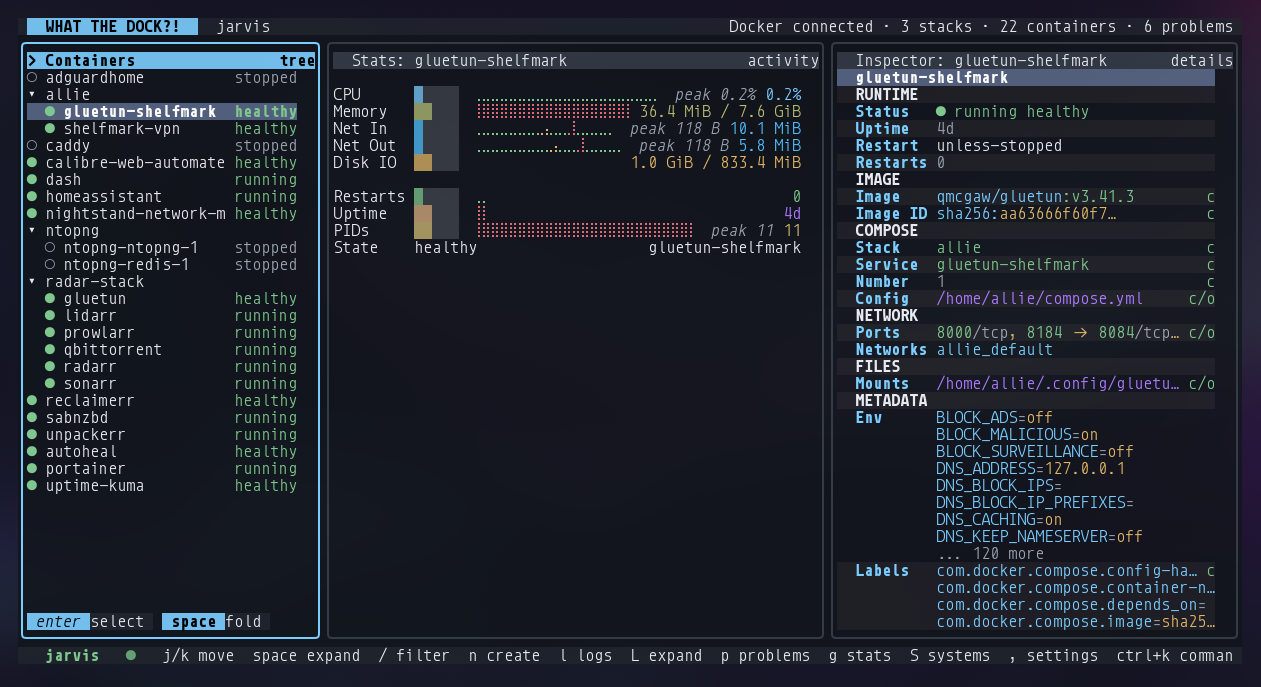
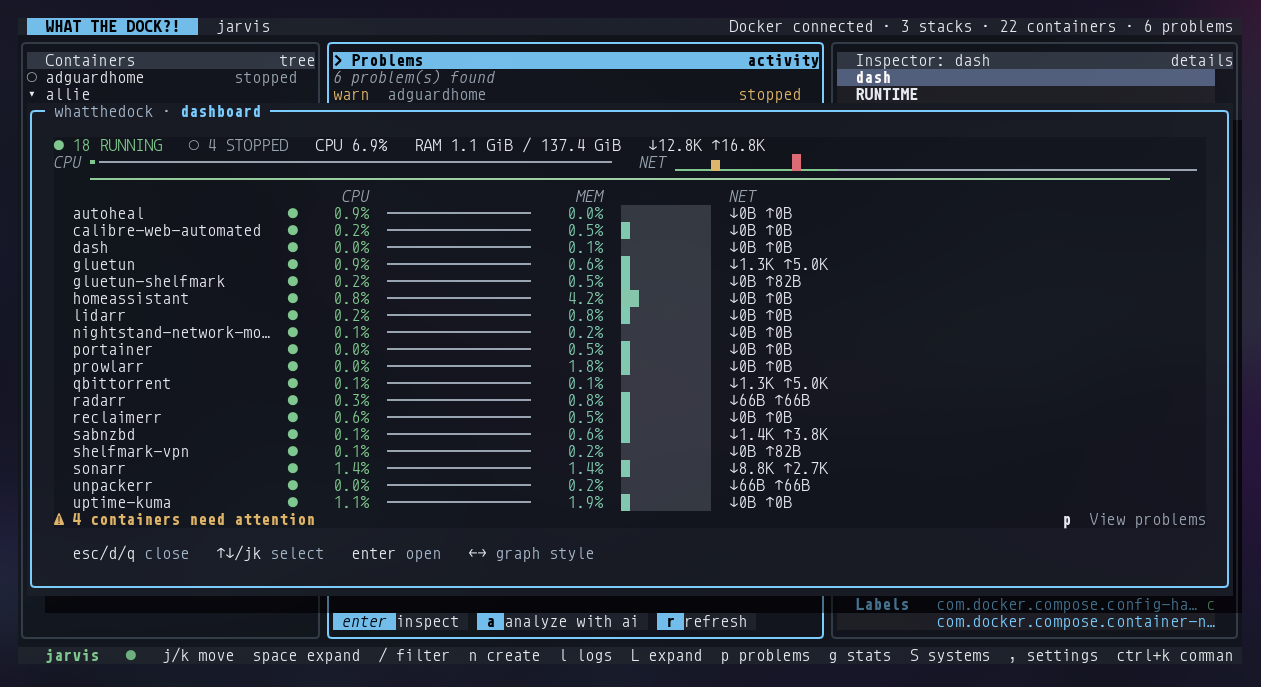
What's running, at a glanceA fleet summary line, then every container with a status dot and a CPU, memory and network sparkline row.
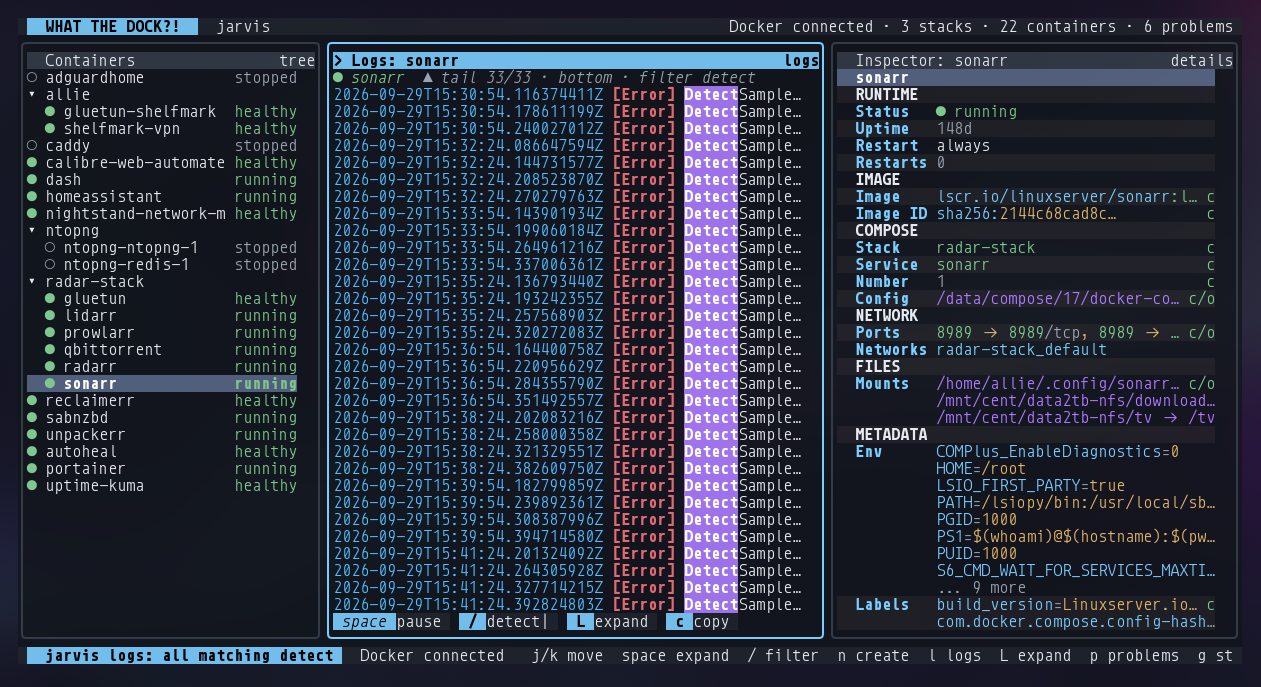
Colour-coded logs l LFilter to errors, warnings, info or all. Jump to the end and follow live, page back through history, copy the visible lines.
A problems pane pRestart loops and unhealthy containers surfaced together. Press a to ask a configured AI provider to analyse one.
Stats graphs gCPU, memory and network over time when a sparkline isn't enough.
Change it
Start, stop, recreate sToggle a container, restart it with Alt+r, or press u to pull the latest image and recreate it in place.
Create and edit with a live preview n mA form for standalone containers, Compose services or whole stacks, with the generated YAML shown as you type.
Clone CDuplicate a container or service as a starting point for the next one.
Shell in eDrop straight into a running container.
Move between hosts
Local and remote, one listManage several Docker hosts, local sockets and SSH, from the same screen. Compose reads and writes included.
Graceful host controlShut down or reboot a host from inside the app, cleanly.
The Compose catalog
A library you keepHold onto Compose files, edit them safely, add notes, and later make one live on any local or remote host.
Practical, not magicalA single-service file edits as a service. A multi-service file is a stack. It tells you which it's doing.
In the terminal
Everything running, at a glance.
Status, CPU, memory and network for every container, with the problems pane still one keystroke away.
Logs you can actually read.
Filter to errors, warnings, info or all. Jump to the end and follow live, page back through history, and copy the visible lines.
The container tree and its inspector stay beside the log, so you never lose your place.
The Container Clipboard
Copy a running container's whole configuration off one host and recreate it on another. No hand-copied docker run flags.
yOn the source host, select the container and press y to yank its config.
TabSwitch to the target host in the host list.
PPress P to paste. WhatTheDock recreates it there.
The keys to know
jkTab
move, cross panes
lLpg
logs, problems, stats
sAlt+ru
start or stop, restart, pull and recreate
nmCD
create, edit, clone, delete
yPe
yank and paste config, shell in
/Ctrl+K?
filter, command palette, searchable help
Before you install
Where it's at
Early, but the main workflow is usable. See, log, start, stop, edit, clone, recreate, multi-host and Compose all work today.
It follows Docker's defaults. No custom socket dance. If docker ps works, this should.
Compose support is scoped. Service and stack edits, the catalog, and docker compose runs on local and SSH hosts. Not every exotic Compose feature.
AI analysis is opt-in and only runs on the problem you press a on, after you configure a provider.
Get started
Kick the tyres without Docker.
The installer checks the binary runs, then drops it in /usr/local/bin, or ~/.local/bin if that isn't writable.
One line
curl -fsSL https://raw.githubusercontent.com/allisonhere/whatthedock/main/scripts/install.sh | sh