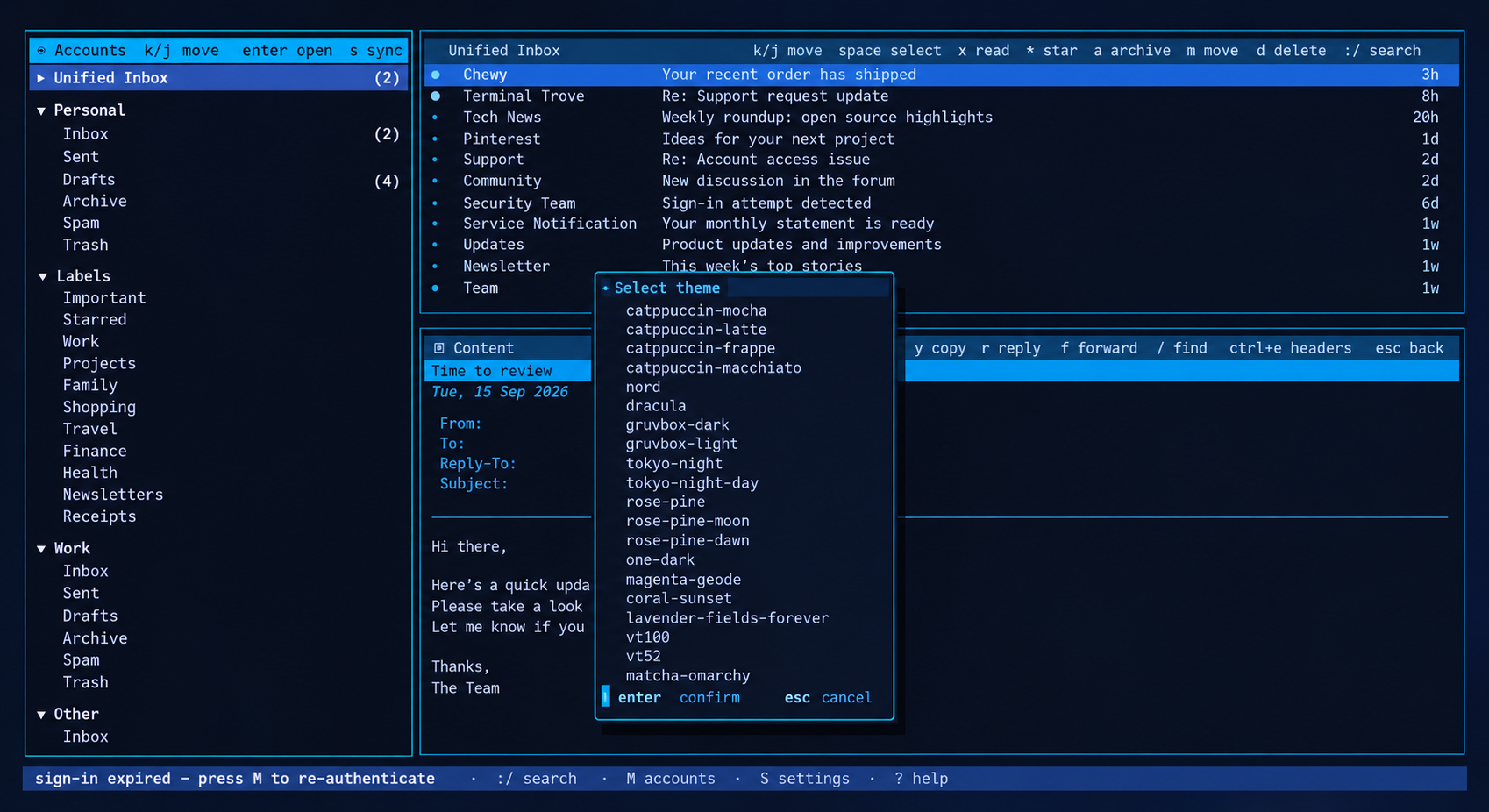
A GUI client's clarity, with a terminal client's speed and a keyboard that gets the good seat.
A unified inbox, an account picker and a reading pane that never hides your list. Set it up by filling in a form, not editing TOML.
Built around real habits
The things you do with mail every day, made fast.
One screen
Every account, one viewRead a unified inbox, or open any single account, folder or Gmail label from the same three-pane screen.
The list never disappearsAccounts left, message list top-right, reading pane below it. Opening a message doesn't hide your inbox.
Send from the right address Ctrl+UThe From row is an account picker. TideMail switches the SMTP server, Drafts folder, From address and signature to match.
Time to change your mind
Unsend Ctrl+ZA sent message waits five seconds by default. Ctrl+Z reopens it. Set the delay to 0 if you want mail gone at once.
Undo bulk actionsDelete, archive and move queue for six seconds before they reach the server. One Ctrl+Z puts the last batch back.
State belongs to the serverRead, star, archive, move and delete sync over IMAP. Changes made in Gmail or another client come back on the next sync.
Reading
HTML as clean terminal textMail renders to readable text, and remote images stay blocked until you load them.
Unsubscribe without the hunt Ctrl+UUses the message's unsubscribe header or its labelled link. No scrolling to a 6px footer.
Headers when you want them Ctrl+EFull headers one keystroke away, with SPF, DKIM and DMARC results called out in colour.
Search that stays live /Global search across the local cache, results navigable while the query stays active.
Compose
Drafts save as you typeUnder the selected sender account. Reopen one and the same account picker is there.
Contacts, then historyTo, CC and BCC suggest saved contacts first, then addresses from mail you've synced.
Your editor, your wayShift-selection, system clipboard, undo and redo, word movement, or switch on Vim mode.
Optional AI, off by defaultPoint it at OpenAI, Claude, Gemini or a local Ollama for summaries and a draft proofread. Bring your own key.
Setup and secrets
No config file editing MAdd incoming and outgoing settings in the app, save with Ctrl+S. Any IMAP or SMTP server works via the Custom provider.
OAuth where it mattersGmail and Outlook sign in with OAuth. Outlook needs no setup. Gmail wants a free Google Cloud project you own. TideMail asks for Gmail access only to read, send and organize your mail on your own computer, and sends it nowhere else; see the privacy policy.
Secrets in the keychainPasswords, AI keys and OAuth refresh tokens go to libsecret on Linux or Keychain on macOS.
Mail as it landsIMAP IDLE by default. Interval polling and manual-only modes are there for servers that need them.
In the terminal
See your whole inbox at once.
Accounts, message list and reading pane, with the authentication results in colour.
The keys to know
jk
move down and up
Tab
cross panes, or move between compose fields
crf
compose, reply, forward
Spaceamd
select, archive, move, delete
*x
toggle IMAP star, toggle read
/:?
search, command palette, searchable help
MST
accounts, settings, themes
Also coming
TideMail for Android
The same calm mail on your phone: Gmail and any IMAP account, folders, drafts, search, and no server of ours in the middle. A private beta for invited testers is open for applications.
IMAP and SMTP only. Standard mail protocols, including on-prem Exchange that still speaks IMAP. No proprietary-only or EWS-only mailboxes.
Linux and macOS. No Windows build.
Gmail OAuth needs a project. TideMail ships no OAuth client, so a no-expiry Gmail token means creating a free Google Cloud project you own. Outlook needs nothing.
AI is bring-your-own-key, and stays off until you configure a provider.
Get started
One line, then press M.
Linux and macOS, Intel and ARM. The installer writes to ~/.local/bin, so no system password.
One line
curl -fsSL https://raw.githubusercontent.com/allisonhere/tidemail/main/install.sh | sh