Clear hierarchy, obvious focus and readable status, with no decorative noise.
02 / SYSTEMS · DEVELOPER TOOLS
The Tide ecosystem
A family of tools testing how one shared interaction language can make very different apps feel familiar right away.
WHERE IT CAME FROM
I tried every terminal RSS reader. Then I made my own.
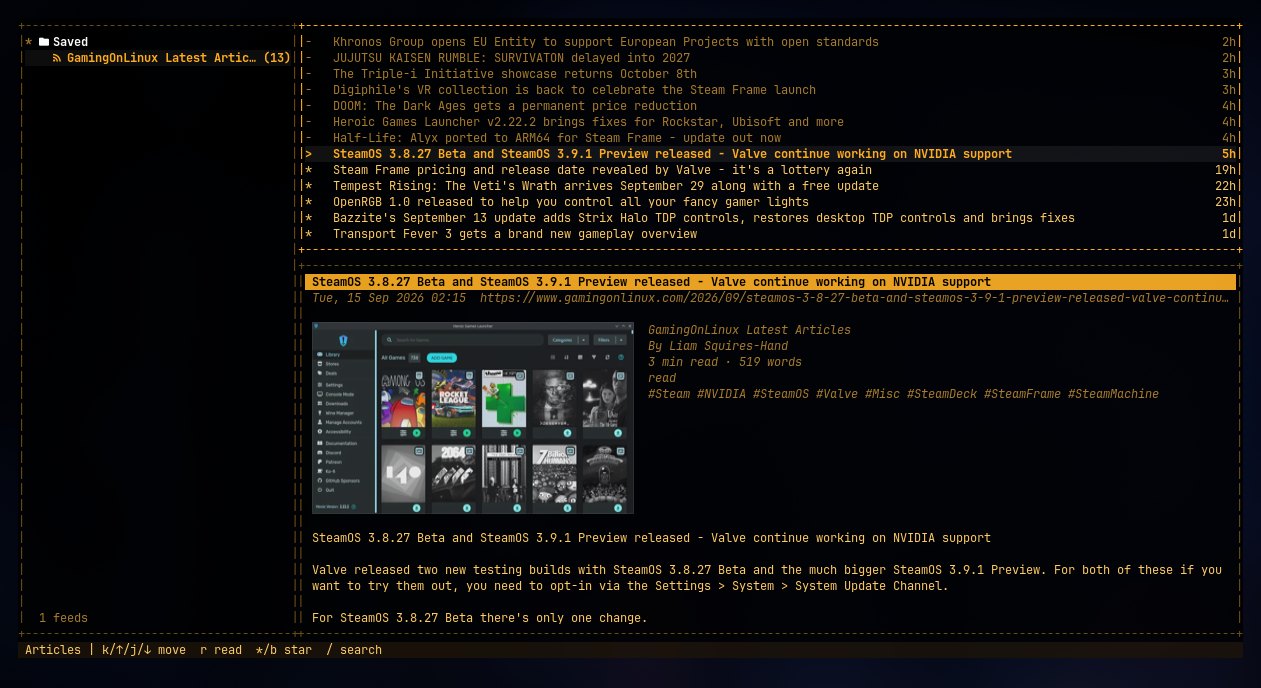
Tide was the first app in the family. Over about thirty years I’d tried every terminal RSS reader I could get my hands on, and none of them quite fit, so I decided to make one for myself.
Then I thought the other apps should behave the same way. So Tide became the source of tideui, the shared library the rest of the family is built on, while Tide itself kept growing into a powerful news reader in its own right.
THE IDEA
Different tools should not require relearning the interface.
Tide, TideMail, TideFTP and WhatTheDock solve different problems, but they share an approach: keyboard-first, information-dense, visually calm and consistent.
I didn’t make every app look identical. They reuse behaviors, spacing, focus states, pane patterns and navigation, so the muscle memory carries over.
TIDE / SHARED PRODUCT LANGUAGEDifferent tools.
Different tools.
Familiar behavior.
Keyboard-first terminal apps that share panes, themes, help and navigation. Pick the job you need and the habits come with you.
RSS & ATOM READER
ACTIVE
Tide
The one that started the family. Feeds, headlines and the article on one three-pane screen.
EMAIL CLIENT
ACTIVE
TideMail
Every account on one screen, undo-send with Ctrl+Z, and setup in a form instead of a config file.
FILE TRANSFER
ACTIVE
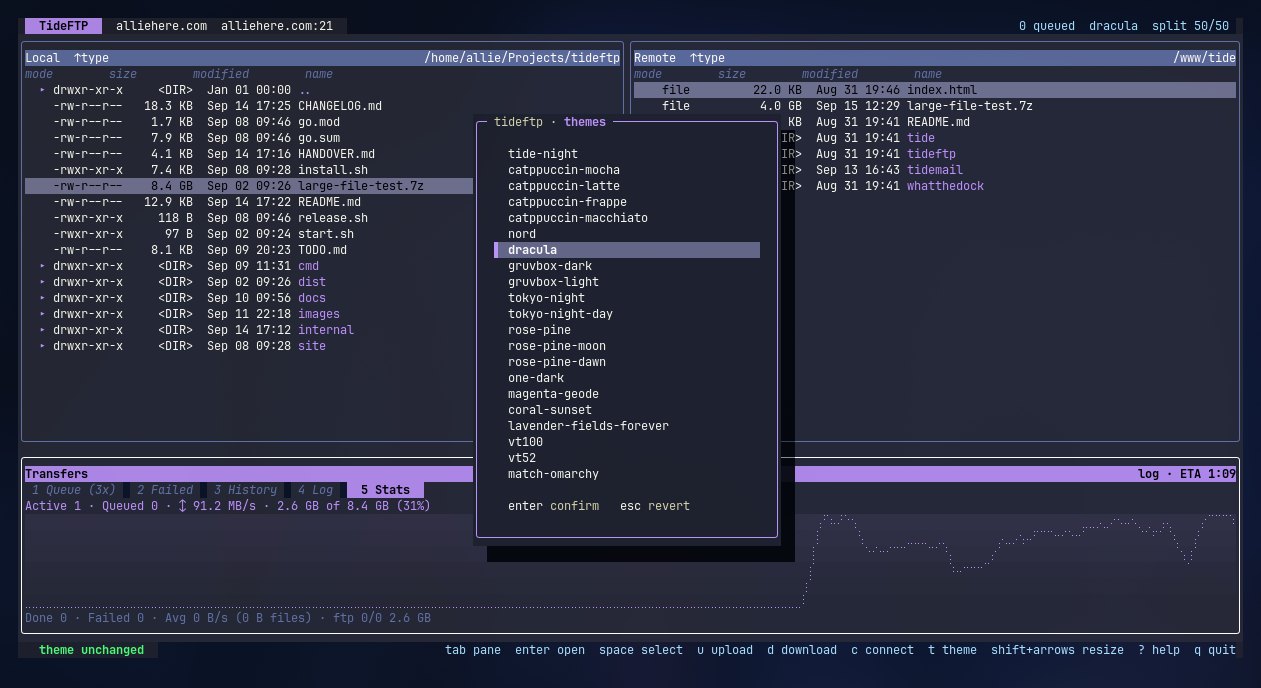
TideFTP
SFTP, FTP and FTPS with a real transfer queue, conflict policies and a directory mirror.
DOCKER & COMPOSE
ACTIVE
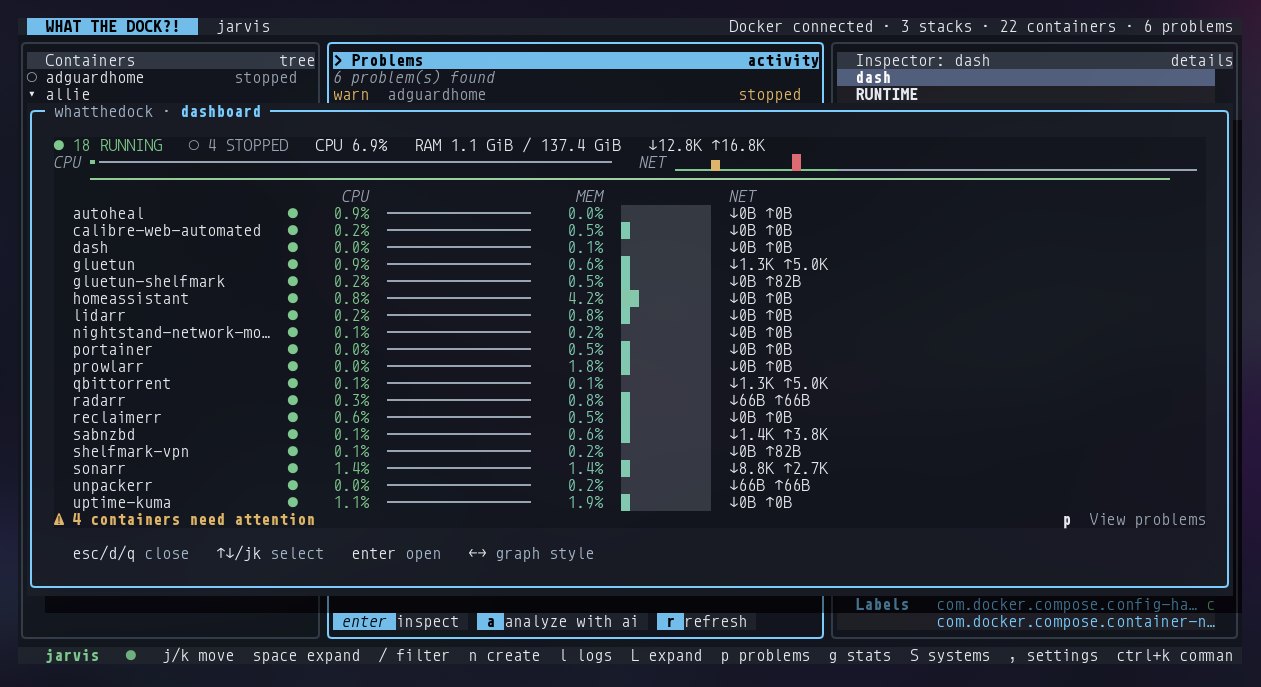
WhatTheDock
Containers and Compose stacks, local and remote, in one place. See, log, restart, recreate.
ANDROID · BETA
BETA FOR INVITED TESTERS
TideMail Android
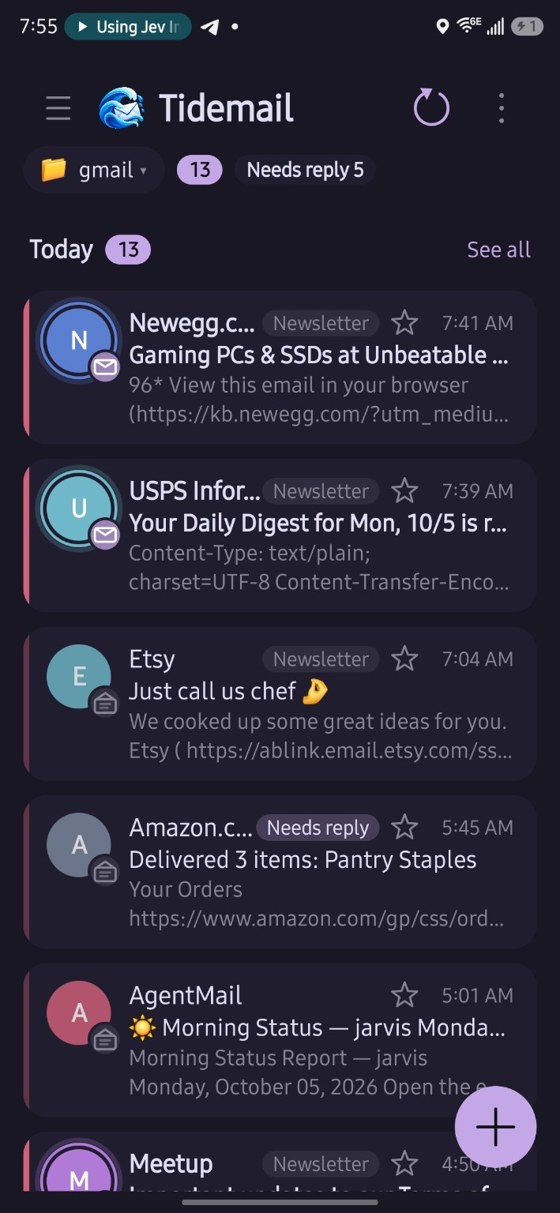
The same calm mail for your phone: Gmail and IMAP, folders, drafts, search and notifications.
IN THE FAMILY
Same frame, same keys, different jobs.
Each app is a standalone terminal program built on the same shared UI layer.
FROM TERMINAL TO TOUCH
Shared ideas, not a copied interface.
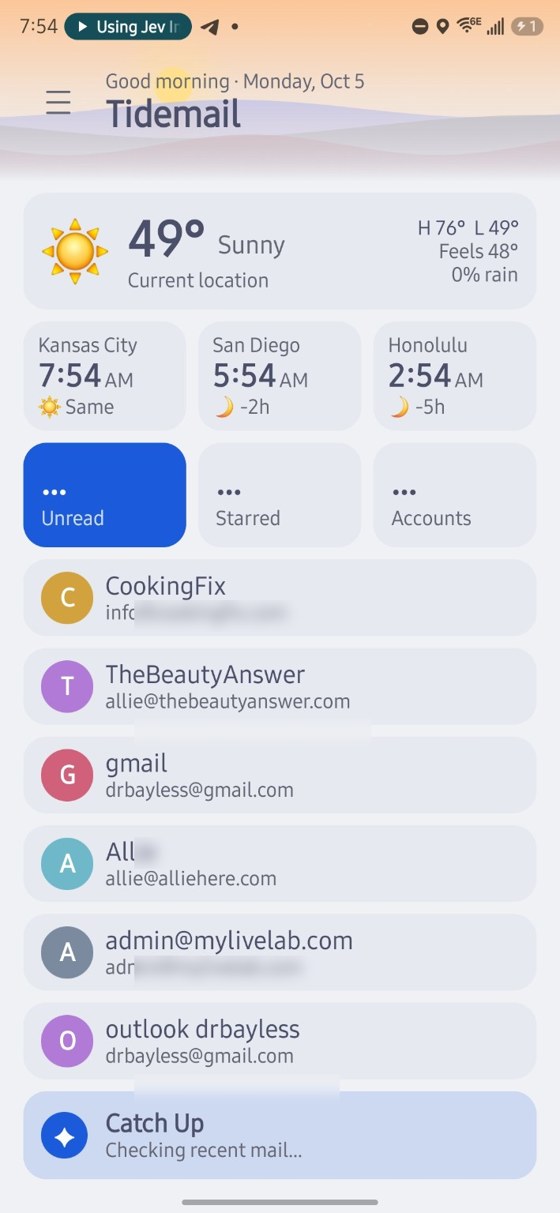
The Android TideMail beta shows what the whole ecosystem is after. It doesn’t squeeze a terminal UI onto a phone. It carries over the product language (attention states, account identity, themes, readable hierarchy, fast actions) and rebuilds the interaction for touch.
SHARED PRINCIPLES
What actually makes it Tide.
What’s shared is behavior: you should know how to move, focus, act and read status even when the app changes.
Navigation and actions should feel familiar from one Tide tool to the next.
Show plenty of useful information while staying calm and easy to scan.
Keyboard on desktop. Touch on mobile. Shared thinking without forced sameness.
WHAT IT SHOWS
A design system can include behavior, not just components.
The ecosystem is system-level product thinking across several apps.
- Shared interaction patterns across products
- Terminal and developer-tool UX
- Reusable visual and behavioral language
- Architecture that spans projects
- Designing for speed, density and discoverability
NEXT